MSFS EFB on any screen
For MSFS 2020: your plane on the airport map, the weather and checklists — on your phone, tablet or second monitor. Free.
easyefb.com/app
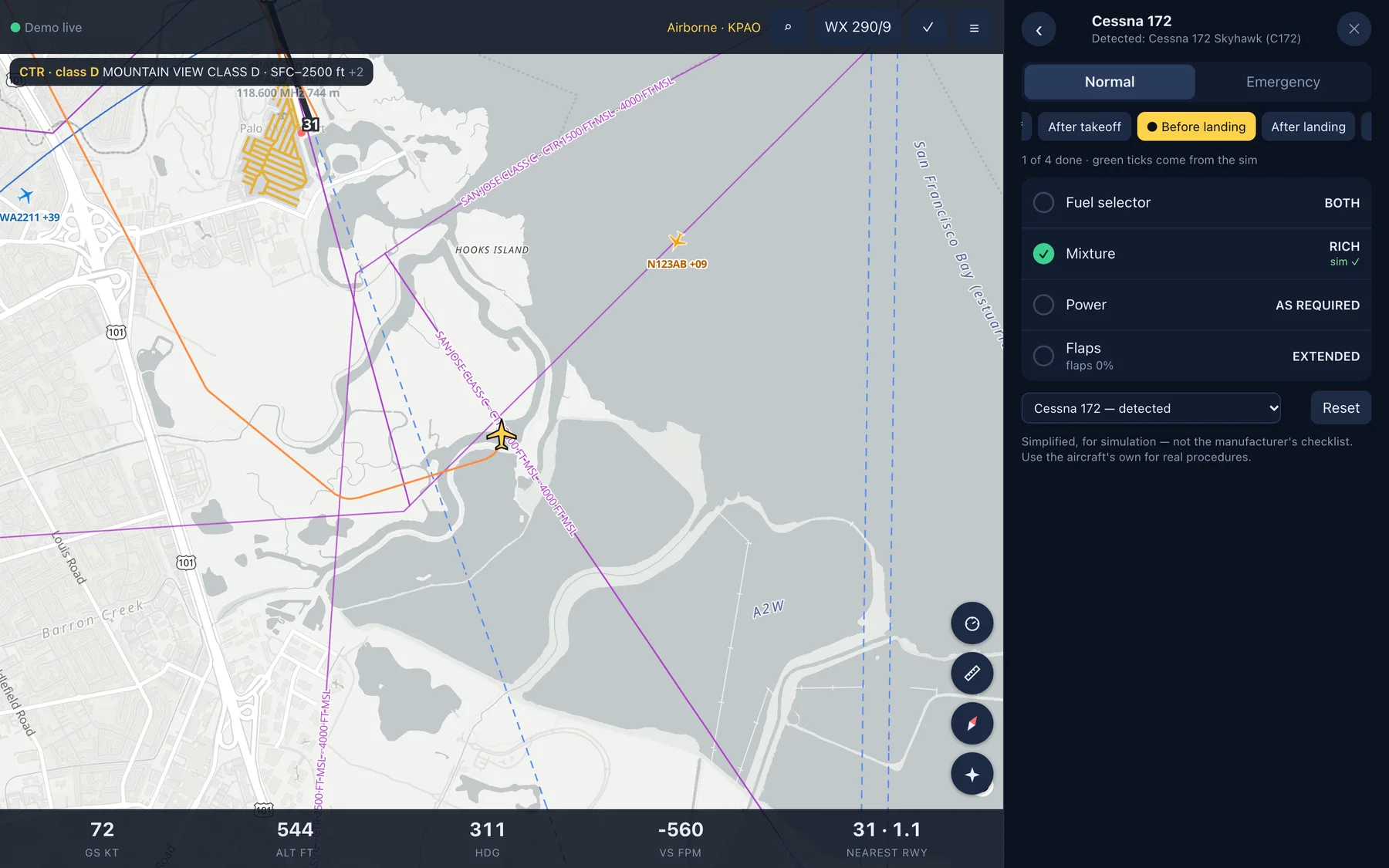
What it reads from MSFS
- Your aircraft, live. Position, altitude, speed and heading, from the moment you press Ready to fly.
- Taxiways and gates on the map. Reading them from your scenery is still being tested on MSFS; where the sim gives none, they come from OpenStreetMap. The EFB map built into MSFS 2024 shows no taxiways.
- The cockpit. Radios, transponder, altimeter next to the sim's QNH, fuel, autopilot.
- Traffic and wind. AI, live and multiplayer aircraft around you; the wind at your plane and the runway it favours.
- Checklists that tick themselves. 46 aircraft types: set a switch in the cockpit, and the item is ticked on your screen.
Set it up once
- 1Install the bridge on the Windows PC that runs MSFS.
- 2Open EasyEFB on your phone, tablet or second monitor and sign in.
- 3Confirm the bridge's code. Turn on "Start with MSFS", and the bridge opens with the sim every time.
Questions
MSFS 2020 or 2024?+
MSFS 2020 is checked, on Windows. MSFS 2024 should work too — the bridge talks to both through SimConnect — but we haven't tested it end to end yet.
Do I put anything in the Community folder?+
No. The bridge reads MSFS through SimConnect, which comes with every MSFS.
Xbox?+
No. The bridge has to run on the PC that runs the sim.